Victoria Neeser
Calendar / Clock / Compass
A new tool for orienting ourselves in time or space
In this intro project, we're going to design a small but useful tool that helps the user orient themselves in time or space. We're making a new kind of calendar or clock or compass.
Project Information
Your Client
For this project we won't concern ourselves with a specific imaginary client; your solution will need to be broadly understandable even if the use case is specific. It's OK to make this about you: what would you like to be more oriented towards (in space, or in time)? We'll be able to test with any person-on-the-street to validate basic interactions.
Project Information
Deliverables
The calendar / clock / compass should be a digital product for screens; an app, website, signboard, kiosk, etc; thus your final deliverable will be an interactive figma prototype, embedded on your course site. See details below for our intermediate steps.
Session 1:
Introduction & Ideation
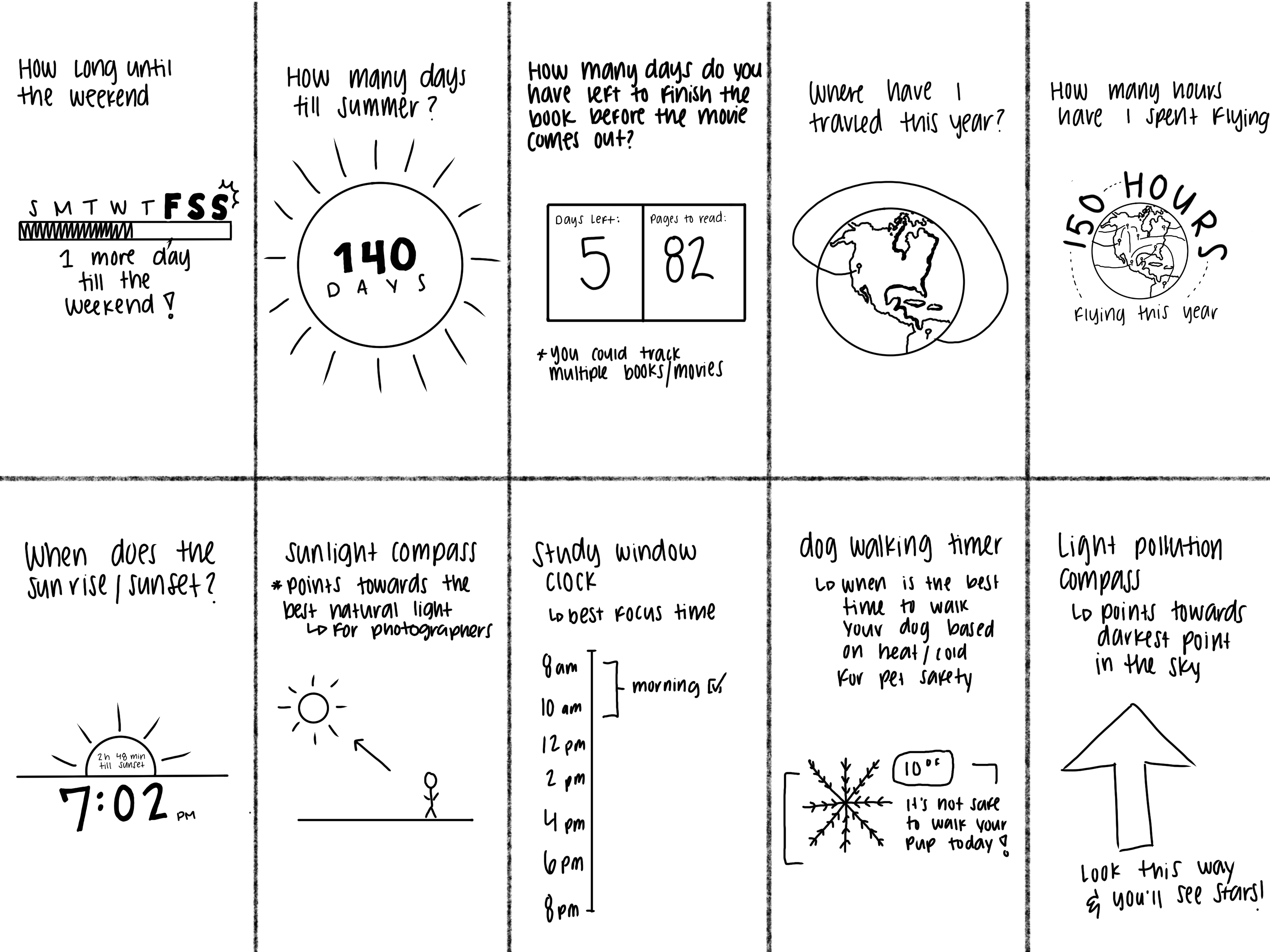
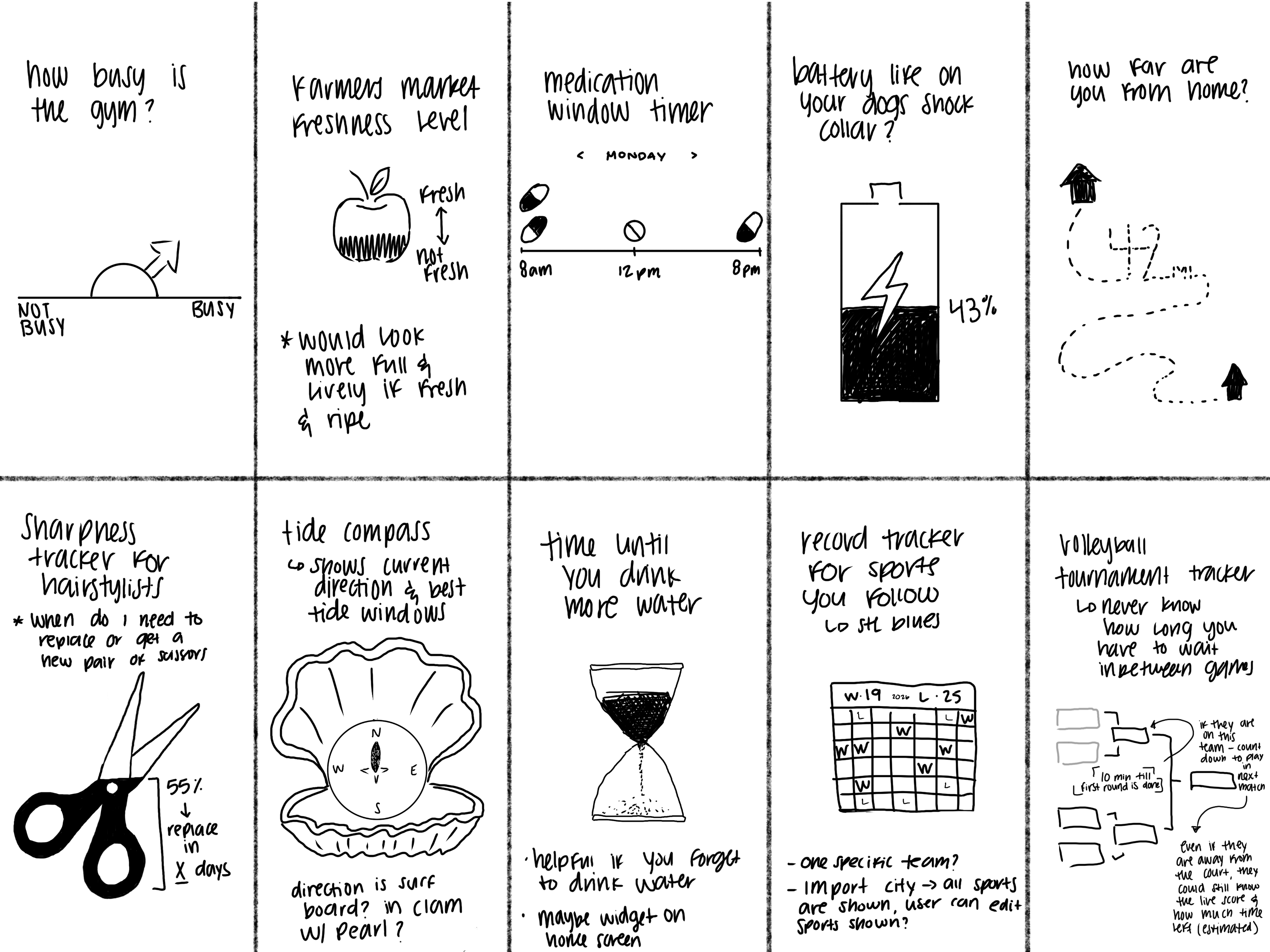
Homework: be ready to pitch us 20 conceptual ideas for a new calendar / clock / compass to share in the next class. Have a single-screen sketch for each.
Homework: Low-fi prototype. Pick one approach, sketch out a full set of user actions. (eg: start up, configuration, use over time/space, etc.) These should be wireframes. Can be hand-drawn, figma, whatever works for you. Put them in figma and prototype.
Session 4:
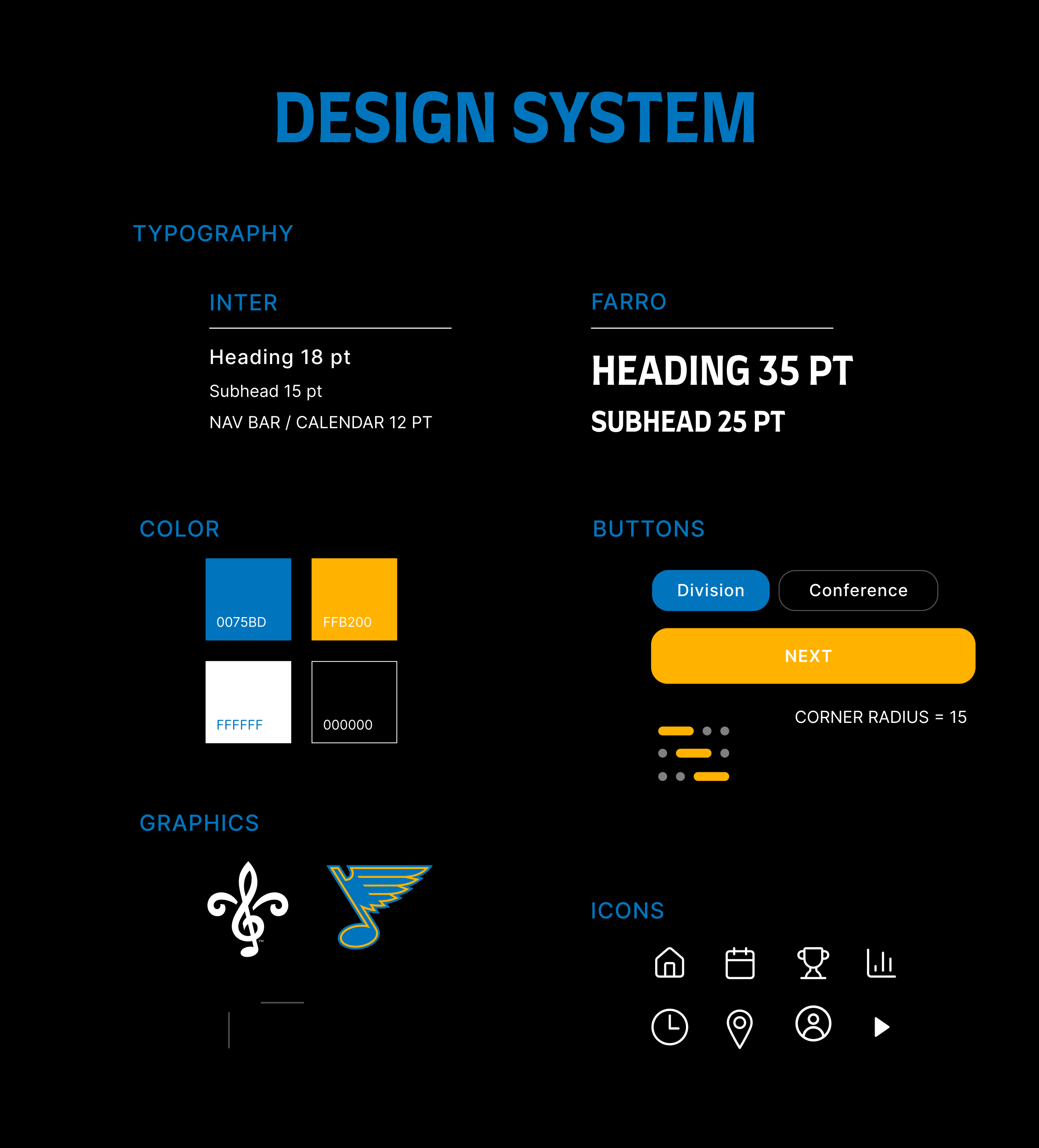
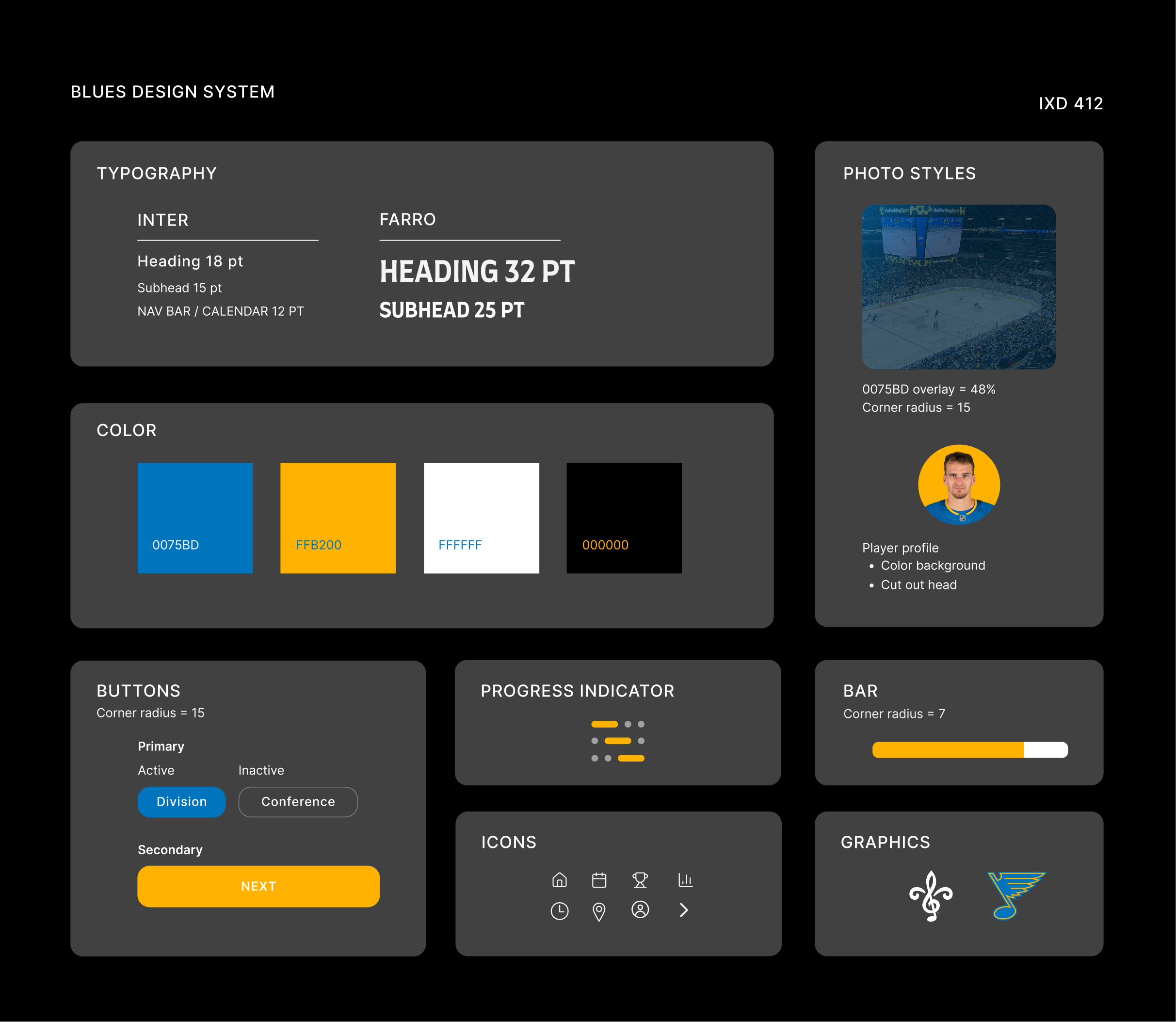
What would a design system do here?
Homework: Build a minimum viable system. What gets repeated? What gets reused? You might think about: colors, font families, type rules, buttons, form elements. What else would you need to define if you wanted to build consistency across people / products / time?
AND Continue to improve your prototype. We're be done-done with this in a week.
Session 5:
Final Deliverables
Idea #1
Sports Record Tracker
A team-specific time + performance tracker that orients fans around the season. Instead of overwhelming stats, it focuses on what matters right now: momentum, recent performance, and when the next game happens.
User: Sports fans (not athletes), casual to devoted
Orientation: Time (season flow, countdown)
Why it works: Sports fans already check this info obsessively, this simplifies it.
Uses: App or widget on phone
St. Louis Blues
W
Next game in:
Season progress bar
vs Florida Panthers
Game 48 of 82
9d 50h
25
19
9
L
OT


2:41
St. Louis Blues
W
Next game in:
Season progress bar
vs Florida Panthers
Game 48 of 82
9d 50h
25
19
9
L
OT


2:41

9 hr 50 min
till the Blues play next
Thu Jan 29, 7:00 PM
vs Florida Panthers
See Insight >


2:41
Idea #2
Dog Walking Safety
A time-based safety indicator that tells dog owners when it is safe or unsafe to walk their dog, based on temperature, wind chill, and heat index.
User: Dog owners (especially casual, everyday users)
Orientation: Time + environment
Why it works: Clear utility + emotional care factor.
Uses: App or widget on phone
Location
Morning
Before 10 am
10 am - 5 pm
5 pm - 9 pm
Mid-Day
Evening
Safe to Walk
Not Safe
Safe to Walk
No risk
Paw burn risk
No risk
60 ° F
92 ° F
58 ° F


2:41
Location
Morning
Before 10 am
10 am - 5 pm
5 pm - 9 pm
Mid-Day
Evening
Safe to Walk
Not Safe
Safe to Walk
No risk
Paw burn risk
No risk
60 ° F
92 ° F
58 ° F


2:41
Session 2:
Problem Definition & Concept Critique
Pitch us a few favorite concepts and show us your first prototype. Class critique & workshopping: what makes sense? What questions do we have?
Homework: Adjust your prototype so you're ready for user testing. Think about what questions you want answered. 'What do you think?' is not a good research question!
Session 3:
Prototype & Feedback
Pitch us a few favorite concepts and show us your first prototype. Class critique & workshopping: what makes sense? What questions do we have?
Homework: Adjust your prototype so you're ready for user testing. Think about what questions you want answered. 'What do you think?' is not a good research question!